NEWEvoDASH for Evolution labs: your live case, billing and production numbers, with no reports to run.See EvoDASH →

EvoDASH

13
Drill-down views
0
Reports to run
Read-only
Never changes your data
10/10
Beta recommendation score

Know where every case, dollar and tech stands. Right now.

EvoDASH reads your Evolution data live, so the numbers you used to run reports for are already on screen when you sit down. Every view below is a real EvoDASH screen. Click a bar in any chart and EvoDASH shows you the cases or invoices behind it.
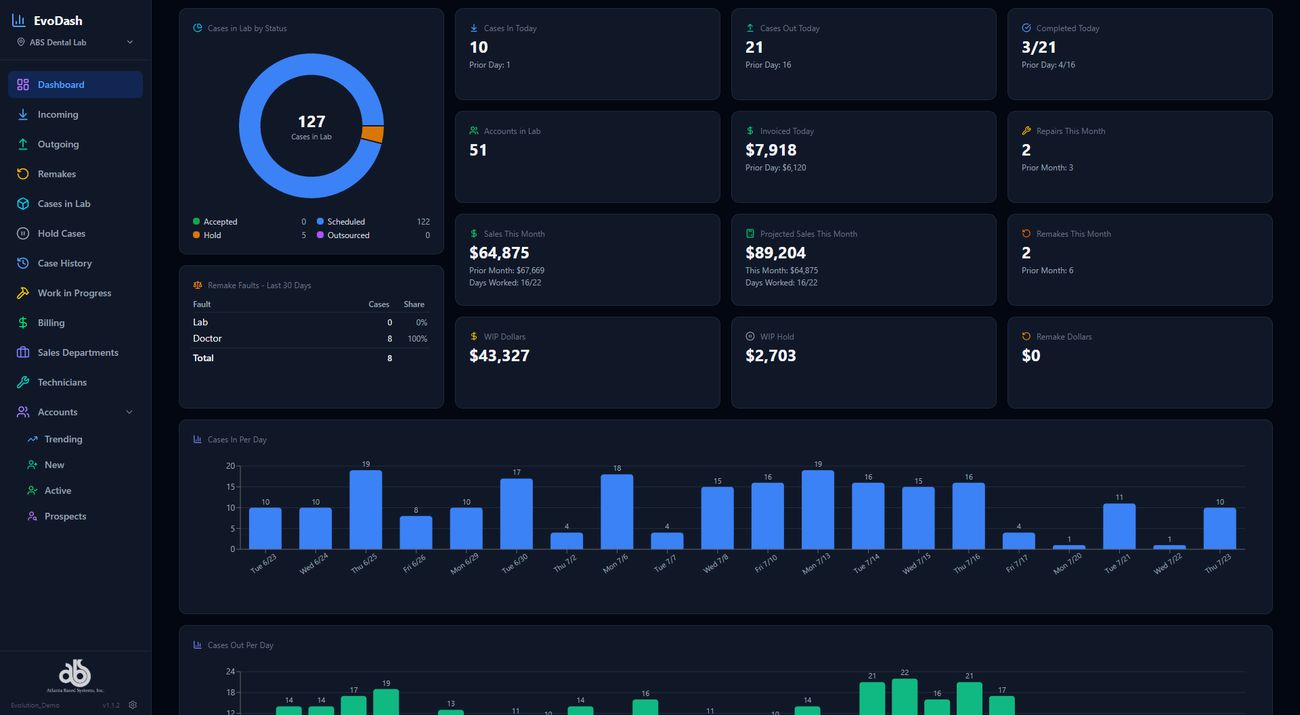
EvoDASH Dashboard screen

Dashboard

NEW IN EVODASH

Sales History: every account, product and department

Pick a date range and see sales for every account. Click an account to see each product it bought and how its sales split across your departments. Then compare this year to last year.
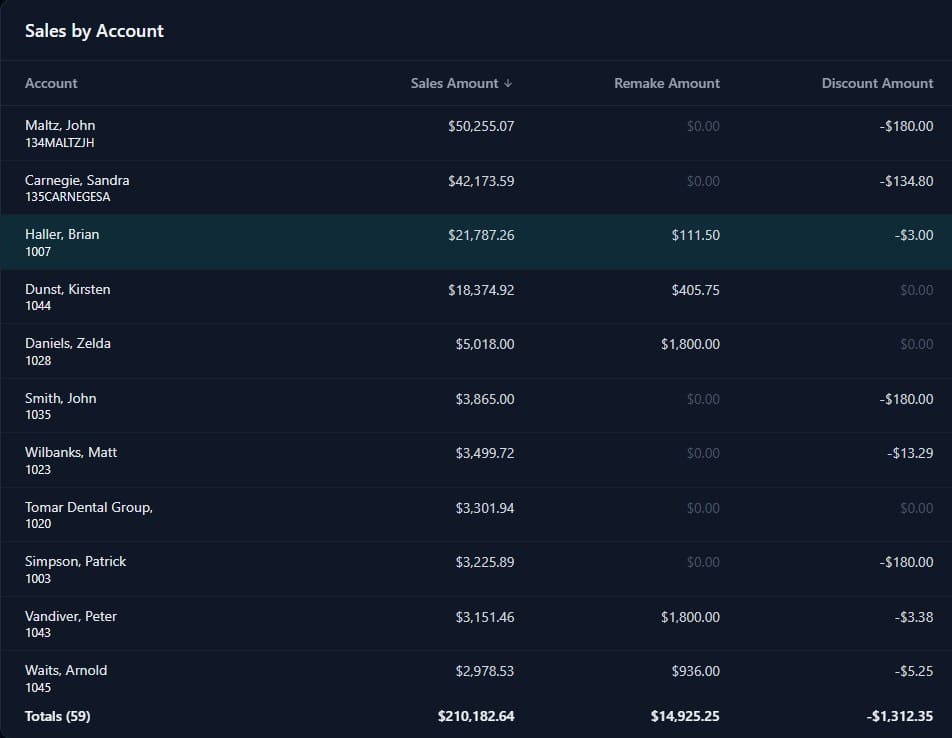
EvoDASH Sales History by account with sales, remakes, discounts and units for each account
1By accountSales, remakes, discounts and units for every account in the date range, sortable, with totals at the bottom.
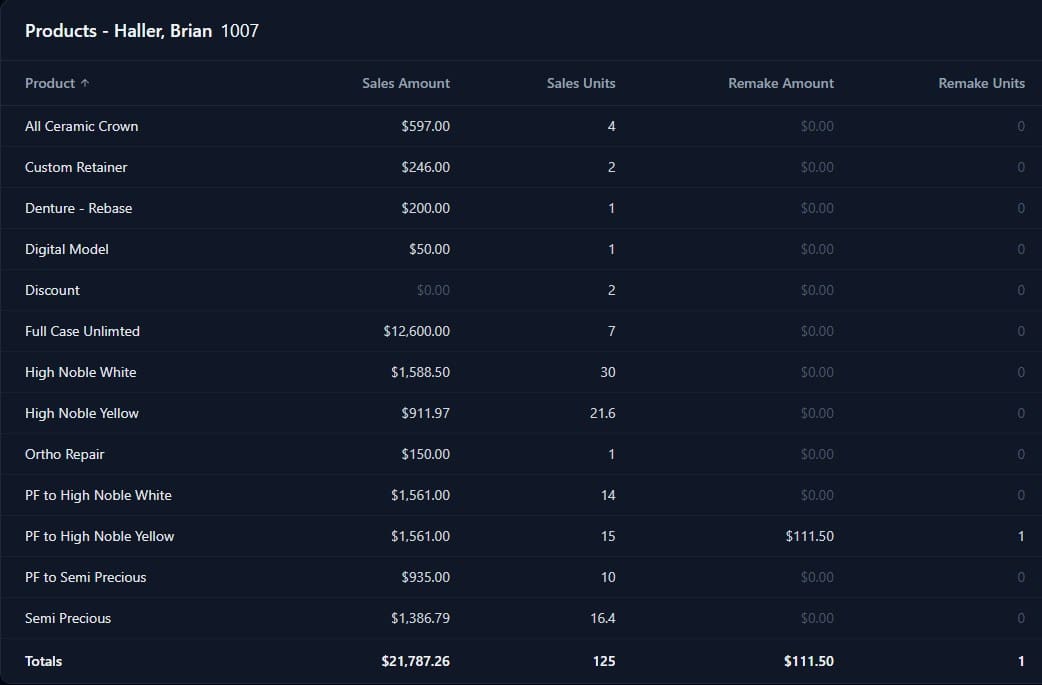
EvoDASH Sales History showing every product one account bought in the date range
2Products for one accountEvery product that account bought, with sales dollars, units, remakes and discounts for each.
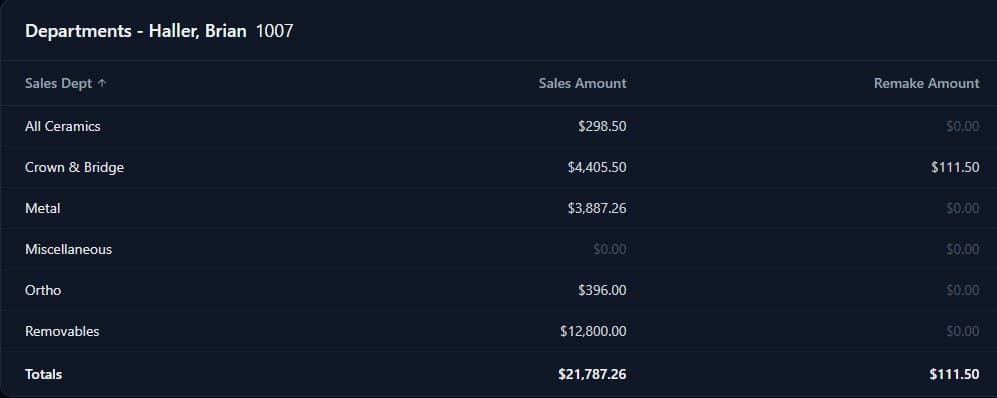
EvoDASH Sales History showing one account's sales by department
3Departments for one accountThe same account's sales by department: crown and bridge, removables, ortho and the rest.
Year to year, at a glance

Compare a month against the same month last year, and the last 12 months against the 12 before, for accounts, products or departments. Growth shows in green and decline in red, so you can see which accounts are growing and which are slipping.

Sales History also has By Product, By Day and Sales Ranking views.
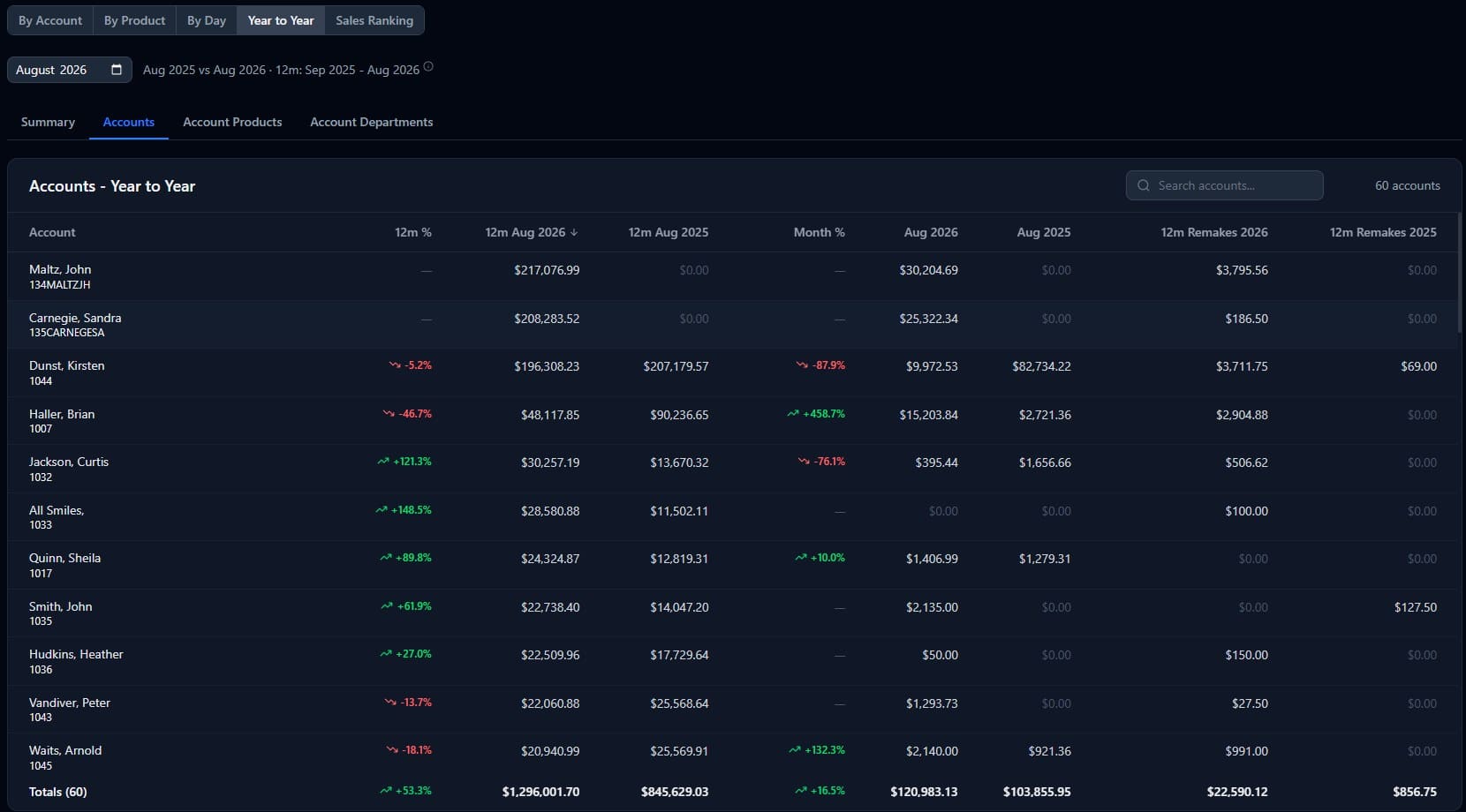
EvoDASH Sales History year to year comparison by account

Built on the Evolution data you already have

Nothing to re-enter

EvoDASH connects straight to your Evolution database. When a case is logged in or invoiced in Evolution, it shows up in EvoDASH.

🔒

Read-only by design

EvoDASH only reads your data. It never writes back to Evolution, so there's no risk to your production records.

Your home screen, your way

Pick the widgets that matter to you from the Widget Gallery and arrange your own dashboard. Light and dark modes are included.

From the labs using it

“Being able to click on a case in the daily outgoing and see where it is in the lab saves so much time.”
Real EvoDASH User, A Real Lab
10/10
Beta recommendation score

Common questions

Do I need Evolution?Yes. EvoDASH is an add-on for labs running ABS Evolution.
Will it change anything in my database?No. EvoDASH is read-only.
Can I see sales by account and compare them to last year?Yes. Sales History shows sales for every account, product and department for the dates you pick, and Year to Year compares them against the same period last year.
How is it licensed?Each license is for one computer. Contact us for pricing and more information.

See EvoDASH in 15 minutes

We'll walk you through the screens your team would use most and answer your licensing questions.

Or call Adam Thomas: (800) 476-2097 ext. 231