Author: ABS Admin

Ask a lab owner why they are still running software they have clearly outgrown, and the answer is rarely “it works great.” It is usually some version of this: switching feels like a gamble I cannot afford to lose.

That fear is reasonable. A lab runs on its data and its routines. The idea of moving years of doctor accounts, pricing, and case history into a new system, then retraining everyone, is enough to make staying put feel like the safe choice.

But staying on the wrong system has a cost too. It is just quieter. It shows up as workarounds, spreadsheets bolted onto software that cannot do the job, and a ceiling on how much the lab can grow before the tools give out. The risk of switching is loud and obvious. The risk of not switching is slow and easy to ignore.

So the real question is not “should I switch.” It is “how do I switch without the horror story.” Those stories are real, but they almost always trace back to a few avoidable causes.

What actually goes wrong

The data migration is treated as an afterthought. When accounts, pricing, and history are dumped in without a mapping plan, the new system launches full of errors that erode trust on day one. A good migration starts with a deliberate mapping phase, weeks before go-live, so the data lands clean.

Go-live lands on a bad date. Switching in the middle of a heavy production run, or right before month-end, guarantees pain. The fix is simple: pick the date around the lab’s natural rhythm, not the vendor’s calendar.

Training is a video and a hope. Self-serve onboarding works for simple tools. A lab management system touches technicians, managers, AR, order entry, and sales, and each group needs to be shown their part. When training is left to a quickstart link, the system gets blamed for what is really a rollout gap.

Nobody owns the first month-end. Month-end is where a lab either trusts the new system or starts quietly reverting to the old way. Getting through that first close with help is what makes the switch stick.

What a good migration looks like

The pattern is consistent across labs that switch without drama. There is a real implementation plan, not a download. There is a dedicated person who knows the software and walks the lab through setup, configuration, integrations, and training across each role. And that person stays through the first month-end, so the lab is never standing on the new system alone at the moment that matters most.

That is the difference between “here are some docs, good luck” and “we will get you live and we will be there when you close the month.” The first is where horror stories come from. The second is how a switch becomes a non-event.

The honest framing

No migration is zero effort. Anyone who promises that is selling. But the effort is front-loaded and finite, and on the other side is a system that fits the lab you have actually become, instead of the one you were when you first signed up.

The labs that put off the decision for years almost always say the same thing afterward: the switch was smaller than the fear of the switch. The dread did more damage than the move ever did.

If your lab has outgrown its software but the migration is what keeps you stuck, that is worth a conversation. Not a sales pitch, a straight walkthrough of what moving would actually involve for a lab your size, so the decision is based on the real picture instead of the worst-case one.
Most labs do not wake up one day and decide to replace their management software. The realization builds slowly. A workaround here, an export there, one more monthly fee for a feature that used to be simpler. By the time a lab starts shopping, the frustration has usually been quietly compounding for a year or more.

The hard part is telling the difference between normal growing pains and a system that has genuinely stopped keeping up. Here are five signs it is the software, not you.

1. Adding a user costs more than the user is worth

Per-seat subscription pricing feels reasonable when you have five people. At fifteen, it becomes a tax on growth. Every hire is another monthly line item, and the math quietly pushes you to under-license, share logins, or keep people off the system who should be on it. Good lab software should make it easier to grow your team, not more expensive every time you do.

2. Your second location is bolted on, not built in

Plenty of systems can technically handle more than one site. Far fewer were designed for it. The tell is in the daily friction: separate databases you reconcile by hand, reports that cannot combine locations, pricing and AR that do not stay straight across sites. A platform built for multi-location runs every site on one database, shares what should be shared like products and scheduling, and keeps separate what should be separate like price lists and receivables.

3. You cannot see productivity without exporting it

If the only way to know how your technicians are performing is to pull a report after everyone has gone home, you are always managing yesterday. Capacity, efficiency, and case flow should be visible while the day is still happening, in time to actually do something about a bottleneck. When a lab grows past the point where the manager can see the whole floor at a glance, the software has to fill that gap, not widen it.

4. Your CRM only knows what your staff typed in

Most lab CRMs are really just a log of what your team remembered to enter. That leaves out everything your field reps see in the office and everything your doctors do directly. The strongest customer records are fed from all three directions at once: lab staff, field reps, and the doctors themselves, all writing to one shared account history automatically. If your system only captures one of those three, you are seeing a third of the relationship.

5. Your data is not really yours

This is the one labs notice last and regret most. Ask a simple question: if you decided to leave your current software next month, could you take your data with you, cleanly and completely? If the honest answer is “I am not sure,” you do not own your data so much as rent access to it. Owning your database, on your own server and backup drives, is the difference between a vendor relationship and a vendor dependency.

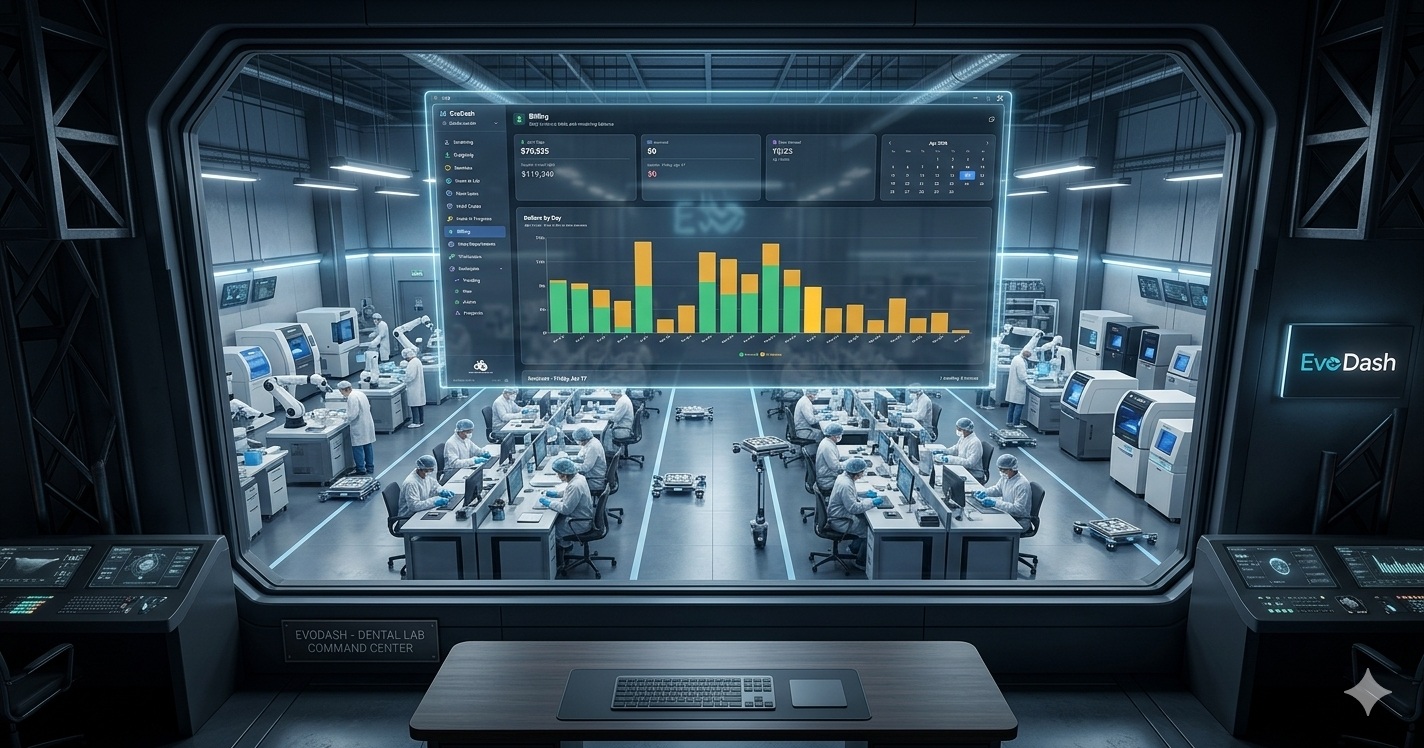
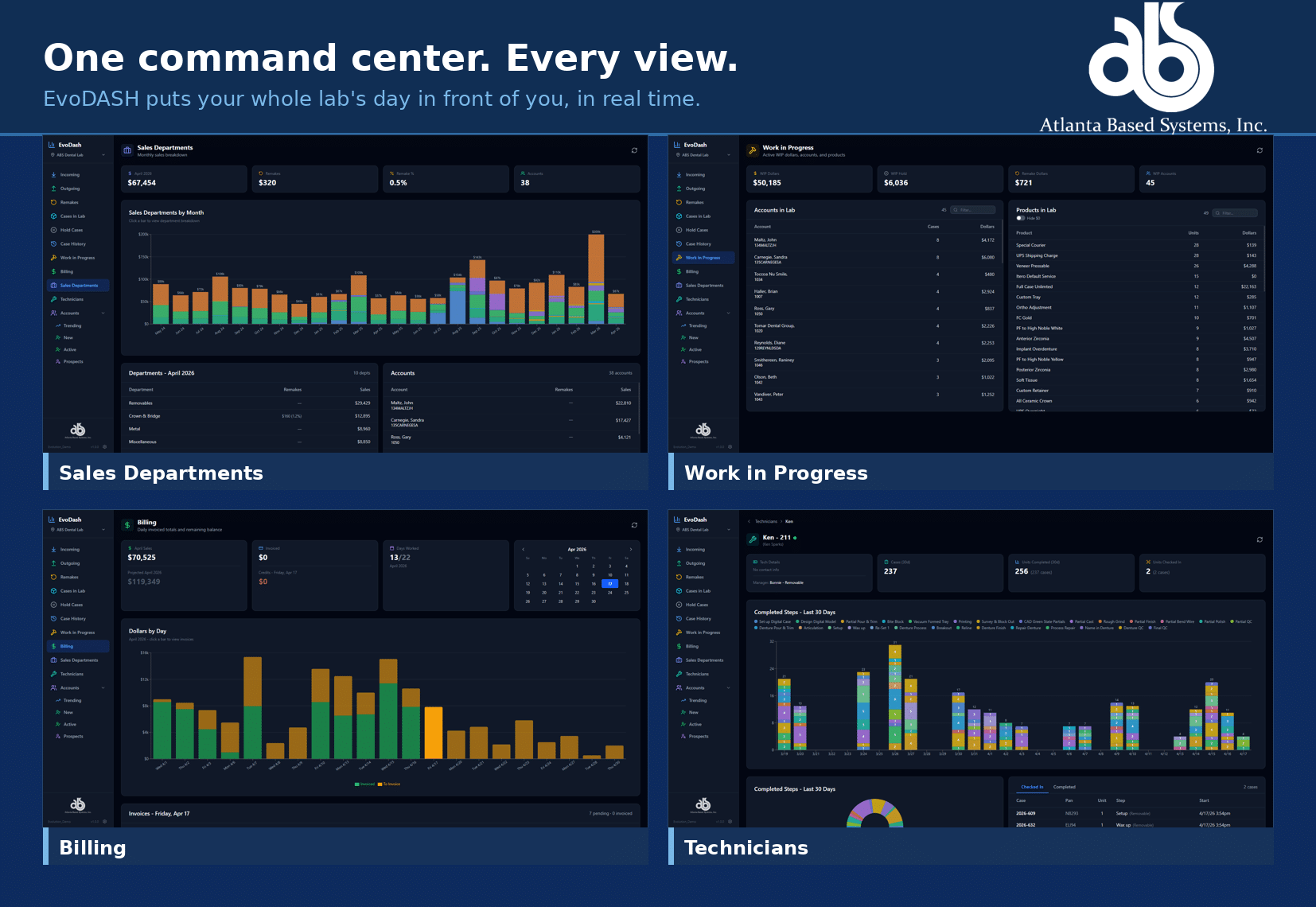
EvoDASH executive command center for Evolution, showing real-time sales, work in progress, billing, and technician views for a dental lab

What to do if more than one of these sounds familiar

Recognizing the signs is the easy part. The reason most labs stay on software they have outgrown is not loyalty. It is the fear of switching. Migrating years of cases, accounts, and pricing feels like open-heart surgery on a business that cannot afford downtime.

It does not have to be. The switch is exactly where a software partner earns its keep. At Atlanta Based Systems we assign every new lab a dedicated implementation specialist who handles the migration, trains your team across every role, and stays with you through your first month-end close. We have spent nearly 50 years building Evolution for dental laboratories, and roughly 200 labs across North America run on it today. A good number of them came to us because they had outgrown something else.

If two or three of these signs hit a little close to home, that is worth a conversation. We are glad to show you what your lab looks like on software built to grow with it, no pressure and no obligation.

Book a 15-Minute Intro

We have been building toward this for a while. Today, we are proud to announce the official launch of EvoDASH, the real-time lab performance dashboard built directly into the Evolution platform. If you have been following along, you know this has been in beta with a select group of labs. The feedback confirmed what we set out to do. Now it is time to introduce it properly.

WATCH THE EVODASH LAUNCH VIDEO TO SEE IT IN ACTION:

WHAT IS EVODASH?

EvoDASH is a visual dashboard layer built on top of Evolution. It pulls data directly from your Evolution database and presents it as a real-time, read-only control tower view for lab owners and managers. No report-running. No digging through data. Just an at-a-glance picture of your lab. Every dashboard is drill-down capable: click a day, a case number, or an account to get full detail from your Evolution data.

THE EVODASH DASHBOARDS:

Incoming Cases: 30-day view of cases received per day. Click any day to see the full case list. Remakes are flagged with an icon and you can drill into individual case numbers for remake reasons, services, scheduling history, and audit trail.

Outgoing Cases: Cases scheduled to ship each day, broken down by new cases, continuations, remakes, and repairs. See your top outgoing accounts and a 30-day summary of case type percentages.

Case Origin: Shows how each incoming case was submitted: iTero web service, EvoDOCTOR portal, or entered locally in Evolution. Helps identify digital adoption trends across your doctor base.

Remakes: Remake cases by day for the current period. The 30-day summary ranks remake reasons by frequency and flags the top accounts generating remake cases.

Cases in Lab: Live list of every case currently in-house, searchable and filterable by account name, case number, or patient name for fast lookup without leaving the dashboard.

Hold Cases: All cases currently on hold with hold reasons displayed. Helps managers quickly identify and clear bottlenecks.

Case History: Case volume going back through your entire Evolution history. Click into any year to see weekly and monthly volume trends over time.

Work in Progress: All active cases organized by doctor account with a dollar value displayed for each. Gives owners a financial snapshot of what is currently on the bench.

Billing: Daily billing view for any period. Green indicators show invoiced cases; outstanding cases are flagged as needing invoicing. Click any day to see exactly which cases still need to be billed.

Sales by Department: Monthly revenue breakdown by lab department (Crown & Bridge, Ortho, etc.). Drill down to see which doctor accounts sent work in each category.

Accounts: Account trending comparing the last 30 days against the prior 90-day baseline. Accounts trend green (up) or orange (down). Filter to view only downtrending accounts, lost accounts, new accounts, or all active accounts.

Technician Productivity: Real-time view of which technicians are clocked in and what cases they currently have checked out. Drill into any technician to see a daily step breakdown, completed case counts, and case-level detail for any date.

WHERE IT MAKES THE BIGGEST DIFFERENCE:

In our conversations with labs during the beta period, two areas benefited most from dashboard visibility: AR and production flow.

On the AR side, labs that review billing daily catch issues earlier. A 45-day balance is a different conversation than a 90-day balance. When the billing view is one screen away instead of buried in a report queue, the calls happen sooner.

On the production side, technician productivity tracking by case type reveals patterns that are invisible in a busy shop. Bottlenecks are easier to see when the data is laid out visually rather than summarized in a weekly export.

One insight that came up repeatedly in beta: tracking cases alone does not give you the full revenue picture. One case can contain a single unit or twenty, and the daily value swings accordingly. EvoDASH tracks both cases and units side by side so you are reading actual production volume, not just case count.

CATCHING THE PROBLEM BEFORE YOU KNOW THERE IS ONE:

When a doctor account goes quiet, how quickly do you find out?

For most labs, the answer is: not quickly enough. A doctor who stops sending cases for two weeks might not appear on anyone’s radar until a monthly statement runs or an AR balance drops far enough to raise a flag. By then, the conversation is harder. The relationship may have already shifted.

EvoDASH’s Accounts dashboard gives lab managers the visibility to spot a declining account while there is still time to act. When daily case volume by account is visible on the dashboard, a two-week gap is noticeable. That is the difference between a proactive call that saves an account and a reactive one that tries to recover it.

Beta lab feedback on this specific point: labs rated the early-warning potential of EvoDASH at 5 out of 5 for daily decision-making impact.

WHAT BETA LABS ARE SAYING:

“I would use this every day.” The response we heard most was that EvoDASH fits naturally into the start-of-day routine. Lab managers described checking cases, units, and revenue figures at the end of each day to close out the shift with a clear picture of where production landed.

“10 out of 10. I would keep using this after beta.” One beta participant rated EvoDASH a 10 out of 10 for ongoing usefulness after their trial period. Another gave it a 5 out of 5 for impact on daily decision-making.

Interface feedback was consistently positive. Beta labs described the dashboard as user-friendly with a clean layout that met their expectations without a steep learning curve.

NOW AVAILABLE – SCHEDULE YOUR DEMO:

EvoDASH is available now for Evolution labs. If you want to see it in action, we are scheduling demos this week. Reach out to Adam Thomas at Atlanta Based Systems to get on the calendar.

Request a Demo

(800) 476-2097 ext. 231 | adam@atlantabasedsystems.com

LEARN MORE ABOUT ABS AND EVOLUTION

Follow ABS on FaceBook, Instagram, LinkedIn, and X. Please contact us directly if you’d like to learn more about Evolution dental lab management software.

Via: Dawn Wehking / speareducation.com

When I first implemented layered anterior composites into my practice, I would frequently finish a case and think to myself, “Oh gawd, this looks terrible.” It took me a while before I figured out why my restorations were not turning out like I had planned. As I practiced, I noticed a few common themes with my technique and eventually learned how to correct my mistakes.

Problems and Fixes for Layering Anterior CompositesIn this article, I share the lessons I learned with the hope to save you a lot of time and heartache. I’ve found that layering anterior composites make me happy. And isn’t life just better when your schedule is stacked with the procedures that make you happy?
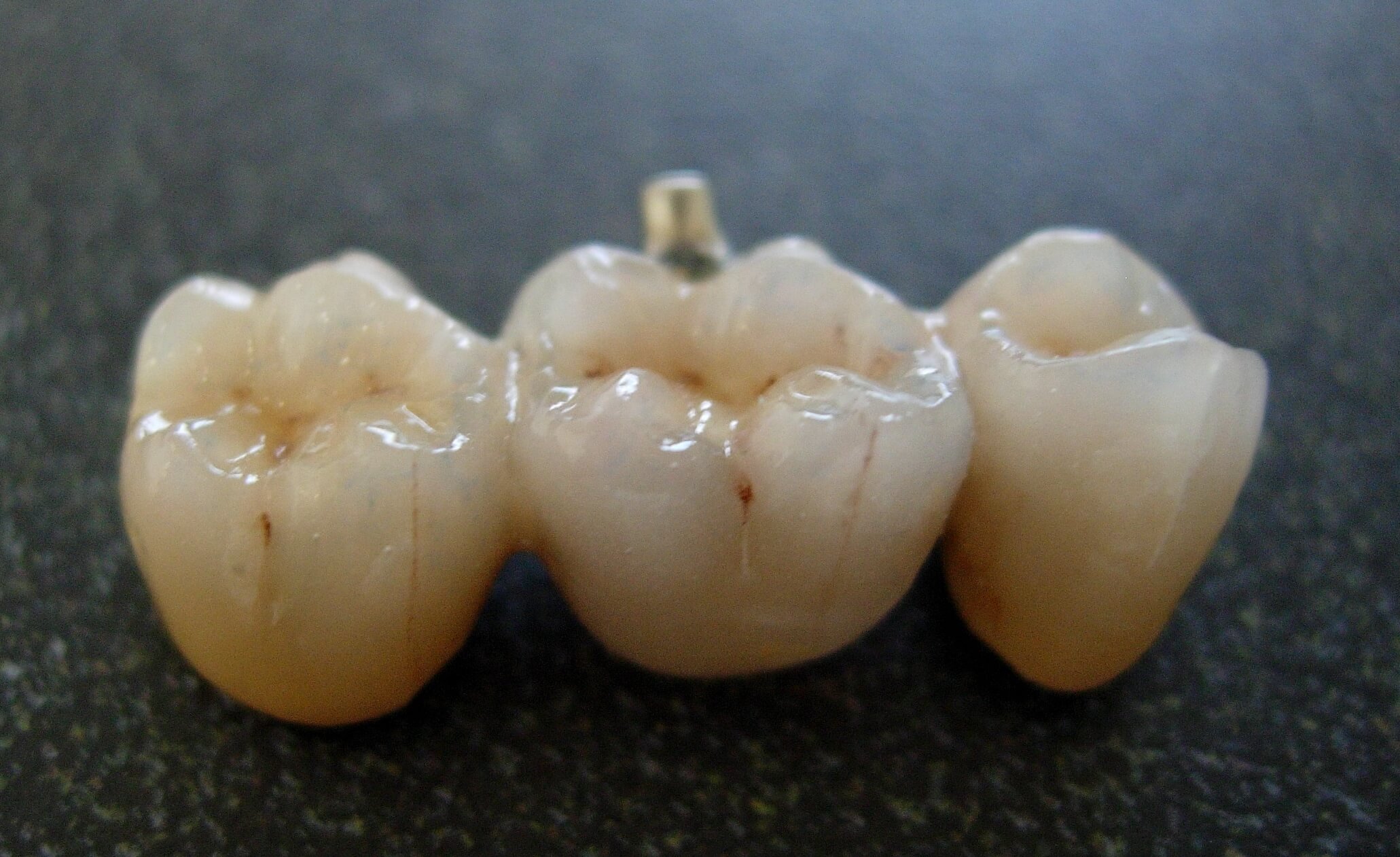
From choosing the wrong shade to trying to get too fancy, let’s review the most common reasons anterior composites don’t turn out quite right, what happened clinically, and how to fix them. The best part is you don’t have to start over completely.

Read more…


Follow ABS on FaceBook and Twitter. Please contact us directly if you’d like to learn more about Evolution dental lab management software.

Let us consider the profession. Dentists come in many different forms: cosmetic dentists, prosthodontists, periodontists, orthodontists, endodontists, general practitioners, oral surgeons, implantologists, pediatric dentists, and others. It is difficult for the public to differentiate one from the other, and moreover, a general practitioner (GP) can perform most dental procedures if well trained. Let us look at it this way: when a patient goes to the hospital, he or she is directed to a specialist in the part of the body that has the problem. That specialist is usually highly trained and has the resources in his or her department to treat that part of the body. You will never see a medical GP operating on a patient’s heart or an orthopedic surgeon operating on a patient’s brain.

Low-Risk vs. High-Risk Dentistry
Miguel Stanley

Like the body, the oral cavity should be seen as consisting of parts: hard tissue, soft tissue, nerves, bone, teeth, mechanics, and muscles. A myriad of problems can occur in the oral cavity. You can have biological issues such as infections, mechanical issues such as fractures or abrasions, and of course, your teeth create one of the most important things connected to our emotions: the smile. So why should we expect a GP to solve all these problems?

Read More…

According to a recent report by market intelligence group CONTEXT, dentistry makes up over one fifth of the end market for professional polymer 3D printers (5,000 USD upwards). The accessibility of desktop machines and the resolution of resin-based technologies have earned additive a solid user base in the dental community. It’s why early on in the fight against COVID-19, we saw a UK based network of 13,000 dentists with access to 3D printers – thought to be one of the largest concentration of machines outside of the engineering sector – rally together to apply its temporarily redundant resources for the production of PPE.

So, with the dental 3D printing market poised to reach 9.5 billion USD by 2027, it’s no surprise that 3D printer manufacturers are investing heavily in this area, whether through dedicated business units or partnerships with device manufacturers.

3D Printing in the Dental Lab

Applications for 3D printers in the dental lab or office are extensive. “We print implant models, crown and bridge models, all that fun stuff,” Oscar Buenrostro, Model Shop, Milling & 3D Printing Supervisor for California-based dental solutions provider DenMat, recently told TCT. “We use it for pretty much every product we have in the lab.”

Read More…

Would you like to know when cases get delivered to your customers, the name of the person who accepts those cases and be able to capture their signature? Would you like for your drivers to have access to real-time deliveries and pickups, including any pickup/delivery notes?

ABS has developed the EvoDRIVER Mobile Application so that the local delivery drivers for your lab can see all pending deliveries and pickups on their route. Those drivers also have the ability to get notified whenever a delivery or pickup is added from EvoDATA. The driver can enter notes, flag the deliveries as “complete,” and even get the recipient’s signature. With Evolution Dental Lab Management Software, qualified Users at the lab can manage their drivers’ routes and see updated statuses and information for those cases. ALL IN REAL-TIME!

FEATURES OF THE EVODRIVER APP ARE AS FOLLOWS:

  • View Real-Time Deliveries & Pickups
  • Manage Routes
  • Capture Customer Signatures
  • “Complete” Deliveries & Pickups
  • Receive Notifications When Added
  • Add/View Notes

A technician’s ability to be productive is a major key to a dental lab’s success. Atlanta Based Systems, through our lab management software, Evolution, has offered EvoTOUCH and EvoBARCODE as a way for technicians to move cases through production.

Now we would like to introduce the EvoTECH mobile application; our newest addition for technicians to be able to access case information and record their productivity. The app can be downloaded on any iOS or Android device directly through the app stores.

The EvoTECH App continues the innovative tradition of Atlanta Based Systems as a way for cases to continue to flow through the production process by giving technicians the ability to have case information right at their fingertips; therefore, helping to increase productivity.

FEATURES OF THE EVOTECH APP ARE AS FOLLOWS:

  • Time Clock
  • Case Check In / Check Out
  • Case Information
  • View Notes
  • Image View & Attach
  • Metal Weight Entry
Recent Posts
Archives